ServerLess Solutions
FaaS ( Function As A Service )
- 장점: 비용이 적게 들고, 자동확장되며, 비용절감 (비지니스 로직에만 집중),
운영/유지보수의 작업을 CSP가 수행( OS설치, 보안패치, 스케일링 ), 1백만건 Free/month
- 단점 : 월간 요청 임계점을 초과하는 경우, 장시간 실행/지속적인 서버상태관리가 필요한 어플리케이션
- 특징 : 이벤트 트리거 기반으로 실행 , 함수 호출 및 실행, 자동 확장
호출시 활성화로 첫 호출시 지연, 오류시 디버깅이 어려움 (별도의 Tool필요)
1. AWS Lambda
- 함수 코드로 바로 실행가능
용도 : 웹어플리케이션, 파일처리, 스트림 처리, 예약 작업
ex) 주문 시 알림, 파일의 리사이징 등
1) How to excercise ( without trigger or destination, with sample test code)
- Invoke ( deployed in advance )

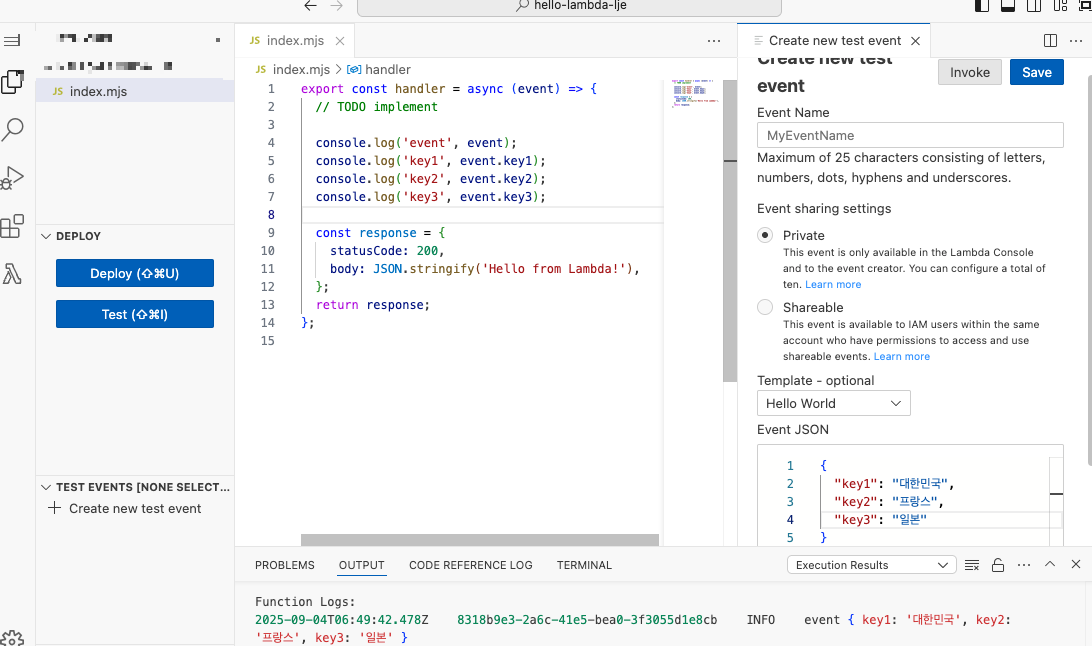
2) How to Use Lambda Function
(1) Create Lambda Function

(2) ADD Trigger or Destination

① Add Trigger
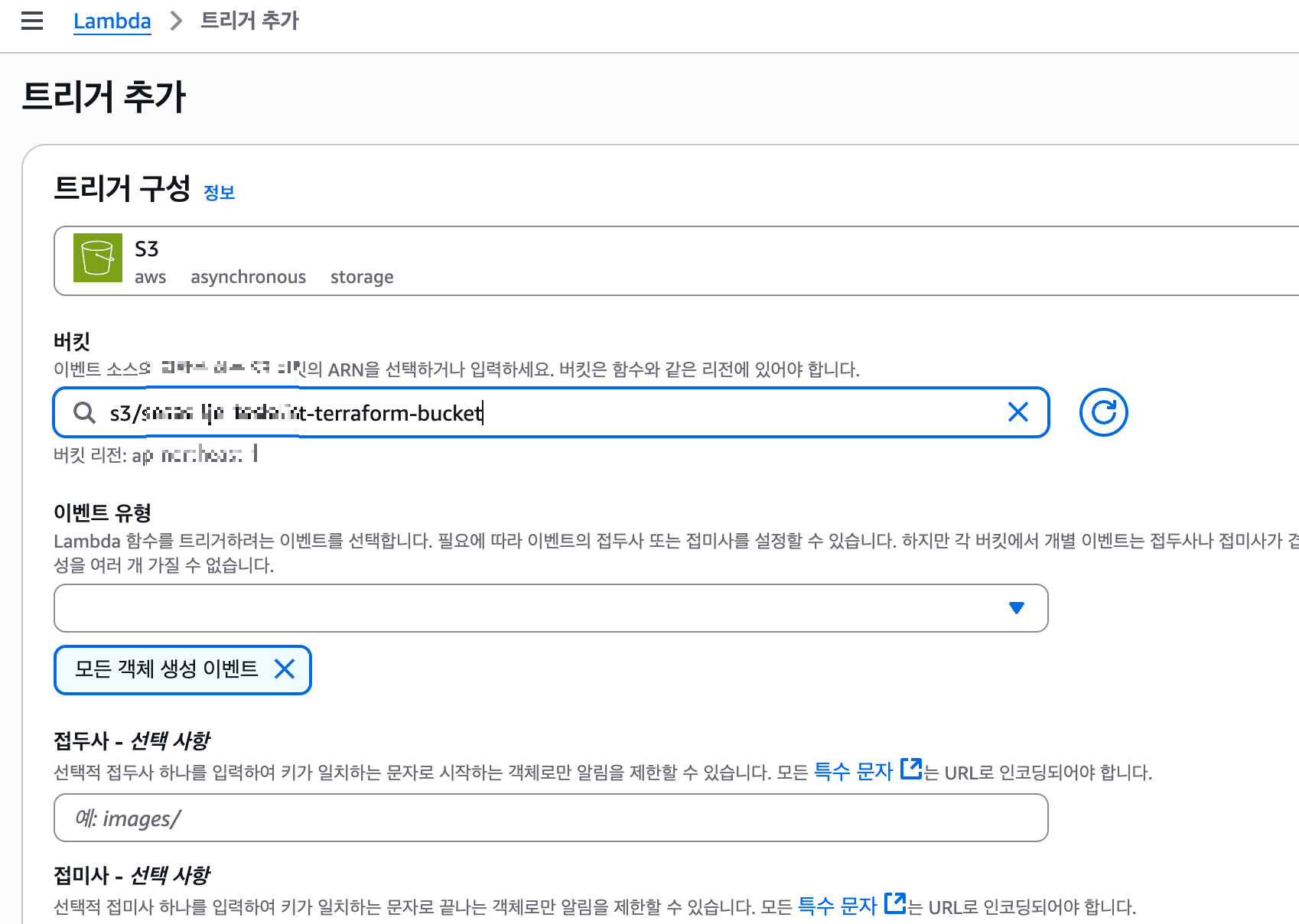
② Add Destination

(3) Permission and Other ( in Configuration )
- Permission needed to trigger ( ex: Permission for S3 )


(4) More Option for destination
- Syncronous, option for failure/success
- SNS topic, SQS queue (message broker), Lambda, Event Bridge(event bus, pipeline), S3 bucket(only for failure)

(5) result
- aws folder created in s3
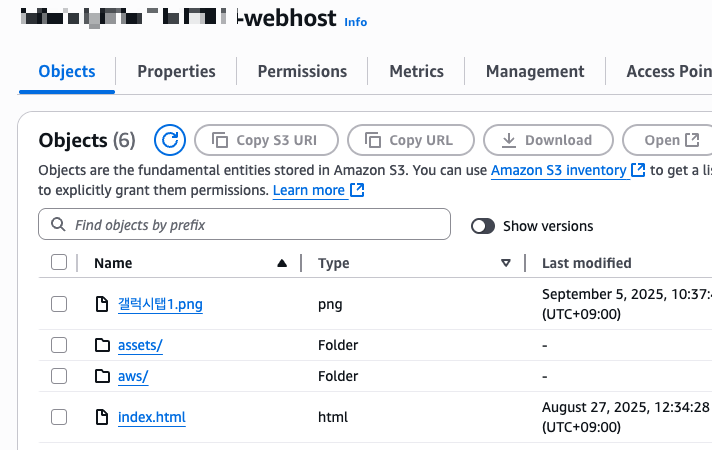
3) To make a simple Web Service
(1) Created function and create function URL

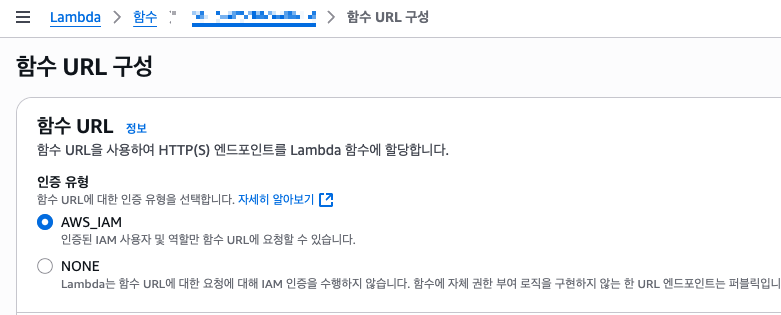

(2) Get information with browser
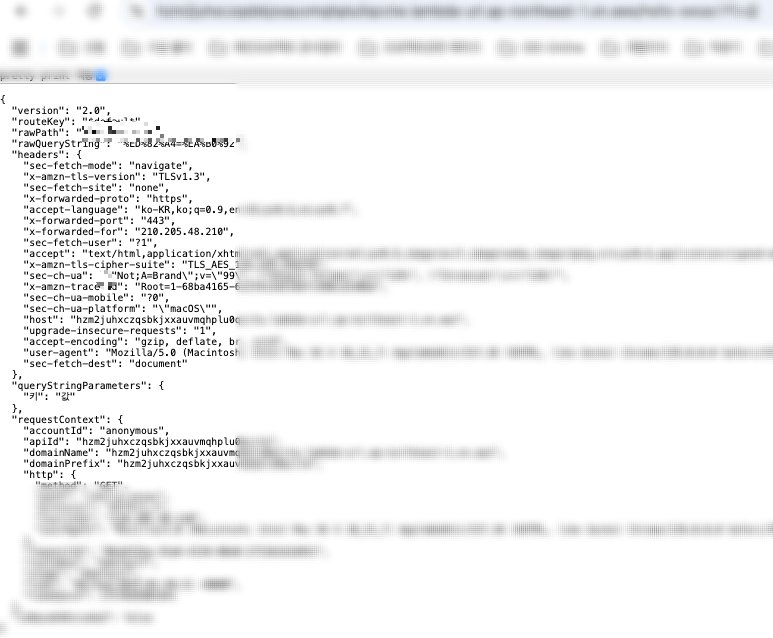
4) Make Pipeline
- github event -> lambda -> slack alarm ( with webhook )
(1) Lambda function
- Create Lambda Function and get URL

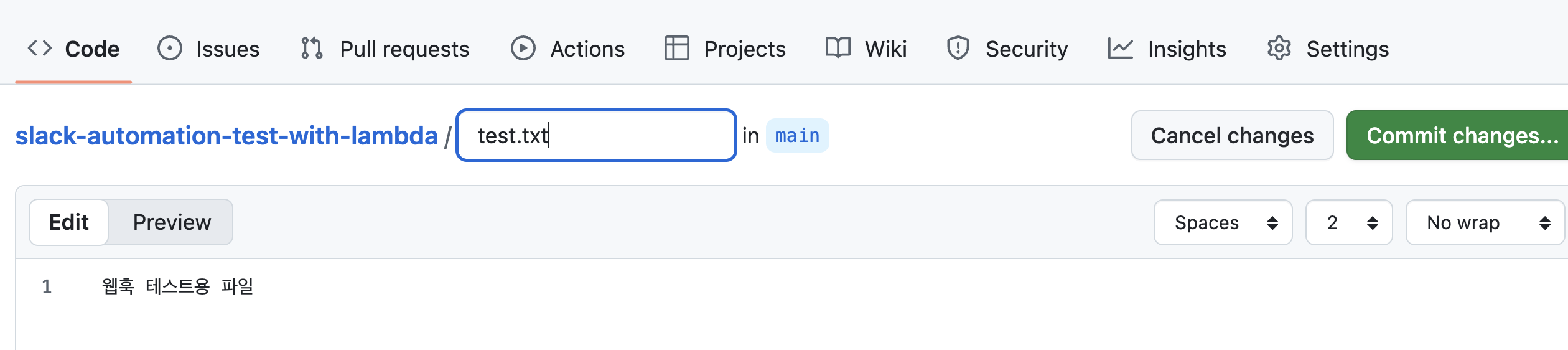
(2) Add webhook ( Git Repository )
- Notify events to external servie ( Payload URL, POST Request )

(3) GitHub Event and Webhook function

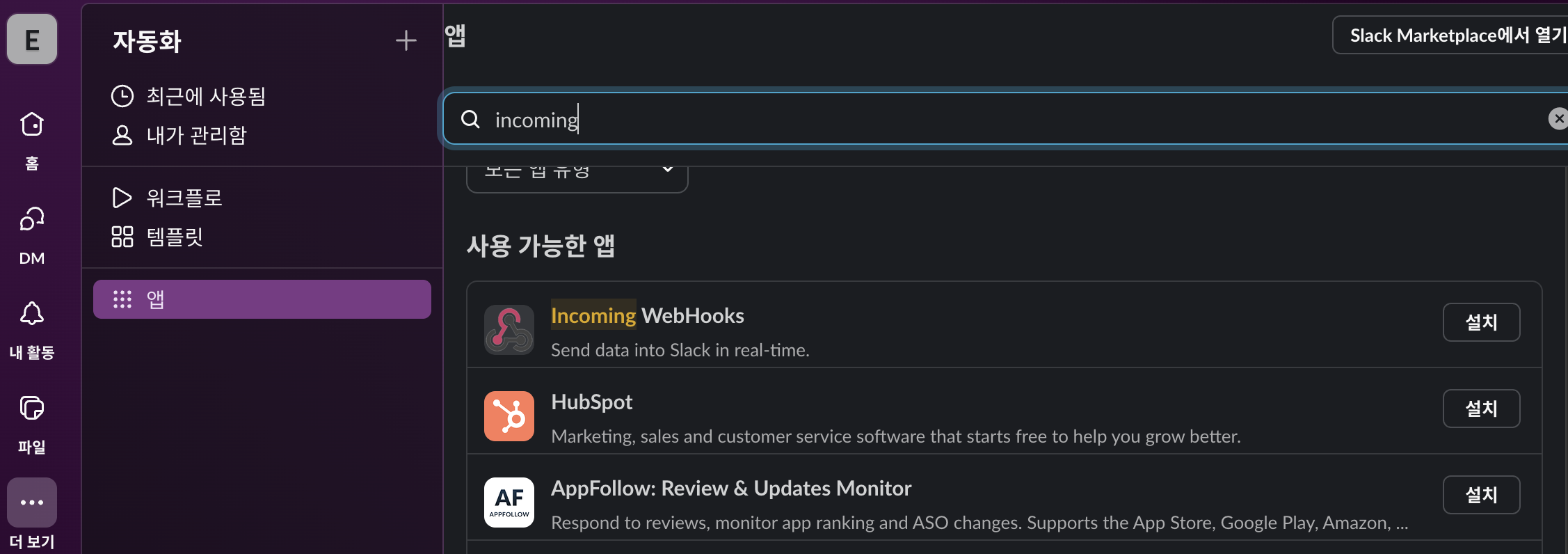
(4) Register Webhook to Slack

2. Amazon API Gateway
1) 기능 및 용도
① REST API, HTTP API, WebSocket API 등을 생성/게시/유지 ( 람다 : 보안기능 없음 )
② API 관리 (단일 진입점), 보안/인증, 트래픽 제어, Lambda와 연동
③ 완전 관리형 ( 사용한 만큼 비용지불, 자동확장 )
④ 서버리스 백엔드, 마이크로 서비스 통합, 실시간 어플리케이션, API중개 서비스
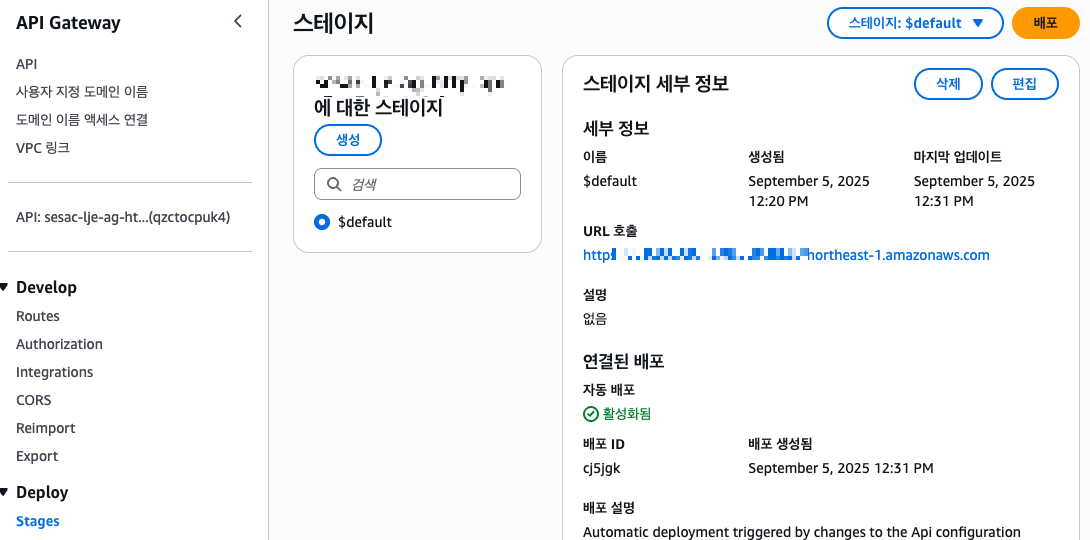
2) 웹서버 구현
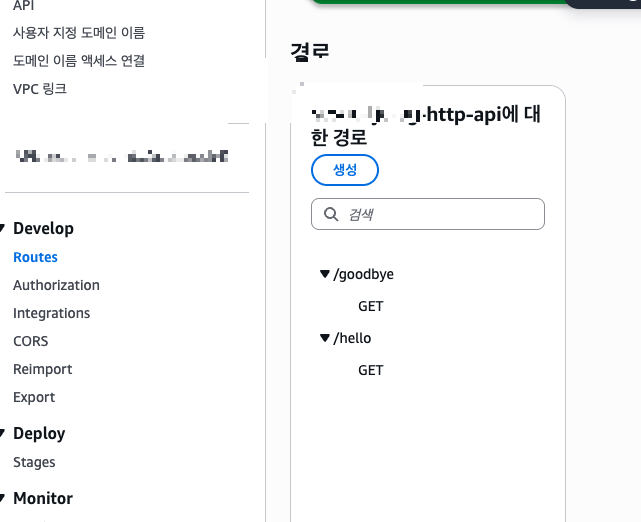
- path에 따라 서로 다른 페이지 구동 (/hello, /goodbye)
- API Gateway(HTTP Api) 생성 ( api gateway로 요청시 전달할 경로구성 )
- Integration메뉴에서 배포


3) AWS Lambda + API Gateway 조합으로 계산기 API구현
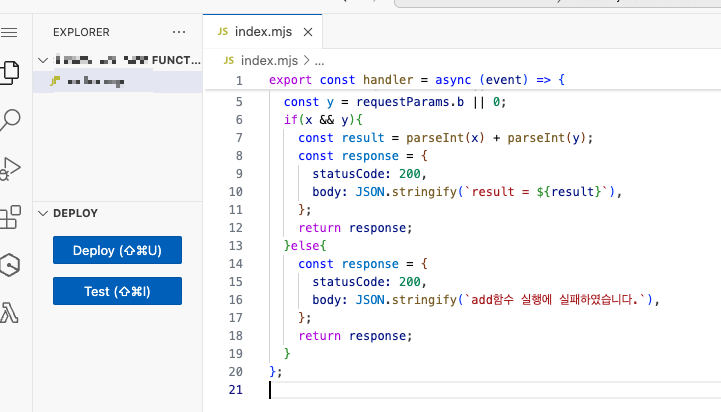
- 4개의 함수와 1개의 API Gateway로 구성
예) GET/add?a=10&b=5 ==> result = 15 , sub,mul, div 기능구현

3. Dynamo DB
1) Dynamo DB와 Lambda연동
장점 : 완전 관리형 NoSQL DB, Serverless, 고성능/고가용성 , Lambda와 조합에 적절
동시성(다수의 사용자 동시접속)/속도 중시, 트래픽 변동이 심한 경우에 적절
단점 : 다중 검색, 다중 조인이 필요한 곳에서 부적절
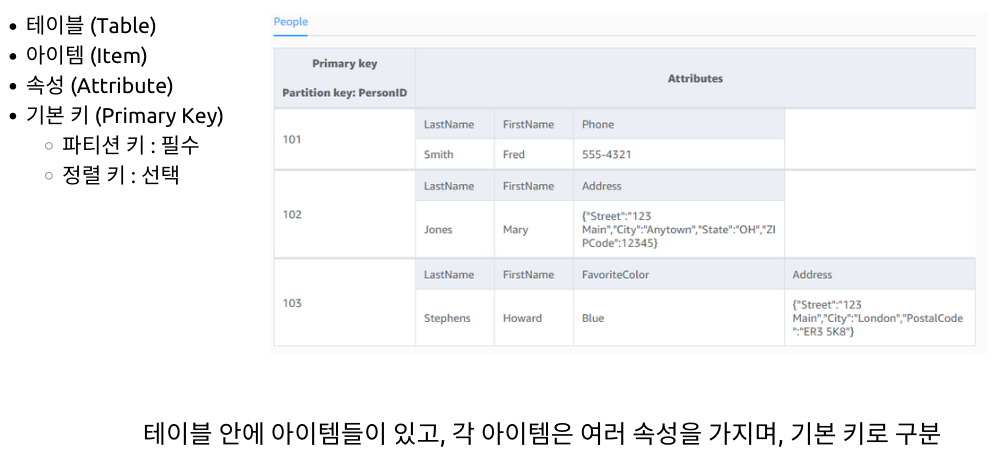
// Todos 테이블

{
  "id": "todo-123",           // 파티션 키
  "createdAt": "2025-09-05",  // 정렬 키
  "title": "장보기",
  "completed": false,
  "userId": "user-456"
}- 테이블: Todos
- 아이템: 위 JSON 전체 (하나의 할 일)
- 속성: id, createdAt, title, completed, userId
- 기본 키: id (파티션 키) + createdAt (정렬 키)
(1) 테이블 생성

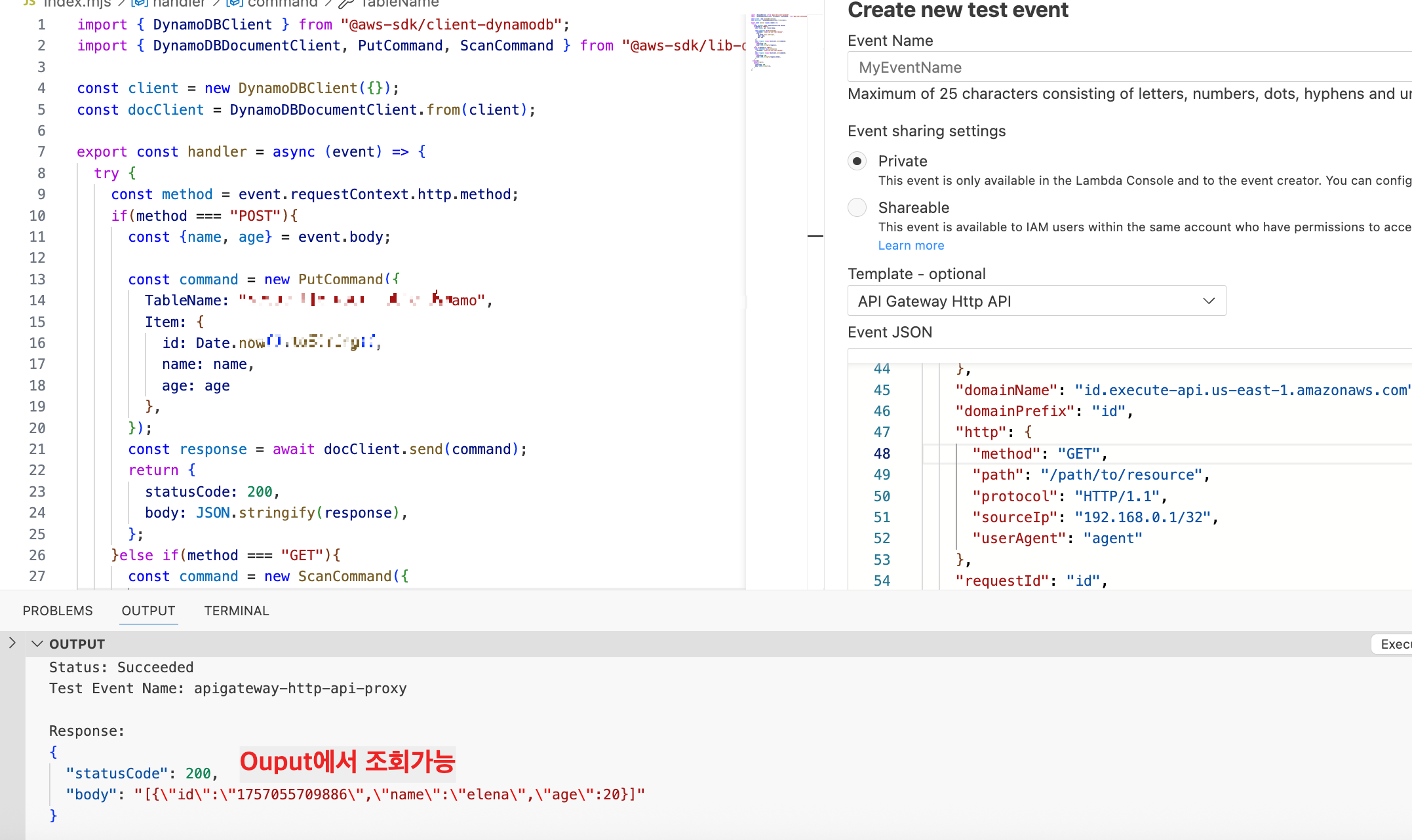
(2) Lambda구성 (DB에 CRUD)
- Dynamo DB에 CRUD를 수행하기 위해 SDK를 import
- HTTP method별 구동 로직 설정
- dynamo 접근권한 설정

- DynamoDBClient, DynamoDBDocument를 이용하여 send


2) Dynamo DB의 Pipeline구현
- Todolist CRUD ( Lamda + API Gateway + Dynamo DB)
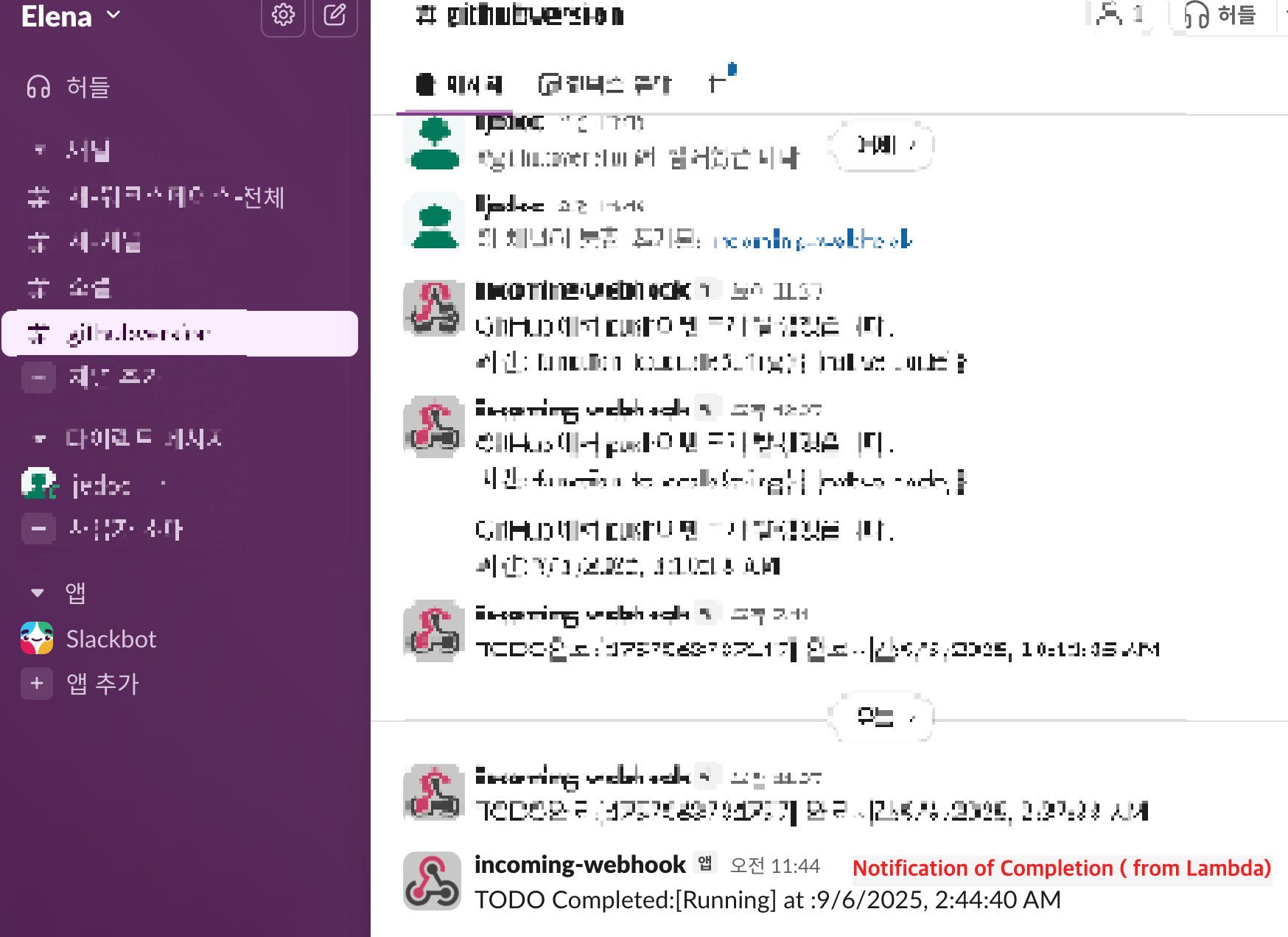
- Todolist completed인 경우 Slack Alarm
1) Dynamo DB생성

2) CRDU를 위한 Lambda함수 생성
- 엔드포인트 별( POST/GET/DELETE/PUT ) 트랜젝션 정의
- DynamoDB에 대한 권한 부여 ( 구성탭 - 권한 )
import { DynamoDBClient } from "@aws-sdk/client-dynamodb";
import { DynamoDBDocumentClient, PutCommand, ScanCommand, DeleteCommand } from "@aws-sdk/lib-dynamodb";

const client = new DynamoDBClient({});
const docClient = DynamoDBDocumentClient.from(client);

export const handler = async (event) => {
  const routeKey = event.routeKey;
  console.log(routeKey);

  console.log("RECEIVED EVENT:", JSON.stringify(event, null, 2)); #Event,Replacer(필터),Space(들여쓰기 공백)
  const body = JSON.parse(event.body);
  try {
    if(routeKey == "POST /todo"){
      const {title,completed} = body;
      const command = new PutCommand({
        TableName: "my_dynamo_db_name",
        Item: {
          id: Date.now().toString(),
          title: title,
          completed: completed,
          createdAt: new Date().toISOString(),
        },
      });
      const response = await docClient.send(command);
      console.log(response);
      return {
        statusCode: 200,
        body: JSON.stringify(response),
      };
    }else if(routeKey === "GET /todos"){
      const command = new ScanCommand({
        TableName: "my_dynamo_db_name",
      });
      const response = await docClient.send(command);
      return {
        statusCode: 200,
        body: JSON.stringify(response.Items),
      };
    }else if(routeKey === "PUT /todo/{id}"){
      const {id} = event.pathParameters;
      const {title,completed,createdAt} = body;
      const command = new PutCommand({
        TableName: "my_dynamo_db_name",
        Item: {
          id: id,
          title: title,
          completed: completed,
          createdAt: new Date().toISOString()
        },
      });
      const response = await docClient.send(command);
      console.log(response);
      return {
        statusCode: 200,
        body: JSON.stringify(response),
      };
    }else if(routeKey === "DELETE /todo/{id}"){
      const {id} = event.pathParameters;
      const command = new DeleteCommand({
        TableName: "my_dynamo_db_name",
        Key: {
          id: id,
        },
      });
      const response = await docClient.send(command);
      console.log(response);
      return {
        statusCode: 200,
        body: JSON.stringify(response),
      };
    }
  }catch(e){
    console.log(e);
    return {
      statusCode: 500,
      body: JSON.stringify(e),
    }
  }
};
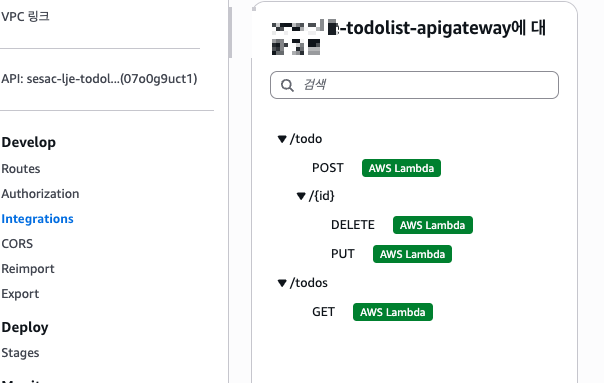
3) API-Gateway Configuration & Lambda Integration

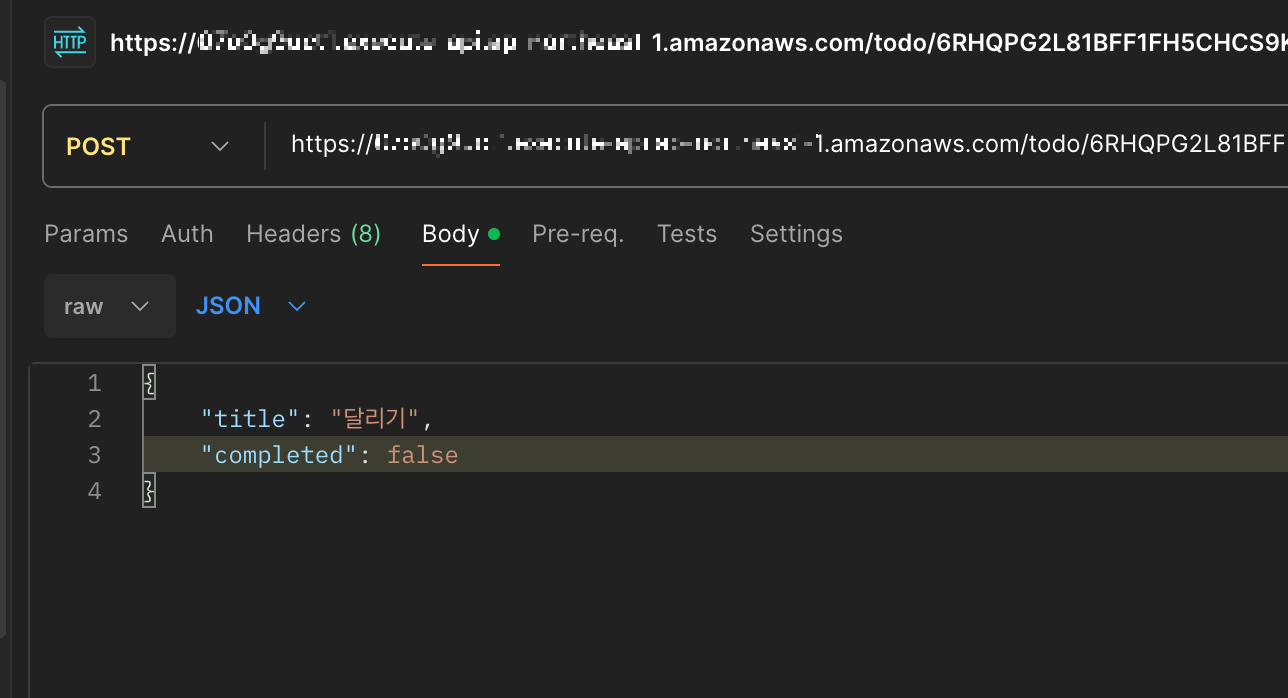
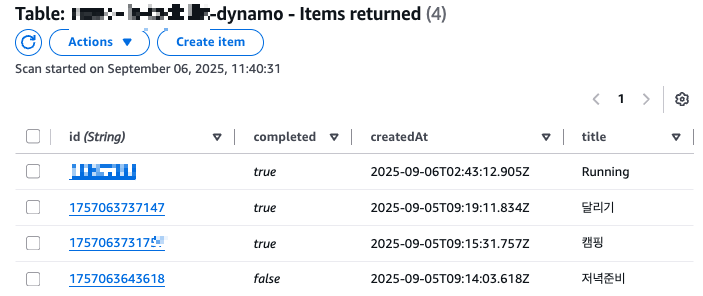
4) Generate Items into dynamodb
5) Create lambda function to integrate with Slack
const SLACK_WEBHOOK_URL='my_slack_channel_address';

export const handler = async (event) => {
  console.log('get stream event from dyanmo:', JSON.stringify(event, null, 2));
    for(const record of event.Records){
      try {
        if(record.eventName === "MODIFY" || record.eventName === "INSERT"){
          const newImage = record.dynamodb.NewImage;
          if (newImage.completed.BOOL === false){
            console.log(`${newImage.id.s} is not completed.. skip noti`)
            continue;
          }
          const todoTitle = newImage.id.S
          const message = {
            text: `TODO Completed:[${todoTitle}] at :${new Date().toLocaleString()}`,
          };
          console.log('message to Slack:', JSON.stringify(message));
          const response = await fetch(SLACK_WEBHOOK_URL, {
            method: 'POST',
            headers: {
             'Content-Type': 'application/json',
            },
            body: JSON.stringify(message),
          });

          if(response.ok){
            console.log('message success');
          }else{
            console.error('message failure');
          }
        }
      }catch(e){
         return {
           statusCode: 200,
           body: JSON.stringify('failure'),
         }
        }
      }
  }
** simple code ( exception handling is omitted )
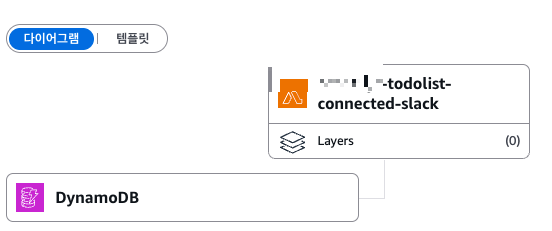
6) Dynamodb and Lambda Integration
- Dynamodb : Exports Streams, Stream details turn on
- Lambda : Add Triggers Dynamodb

7) Slack Notification
'Infra' 카테고리의 다른 글
| AWS_Cloud_6th (0) | 2025.09.08 |
|---|---|
| AWS_CLOUD_2nd (3) | 2025.08.23 |
| AWS_CLOUD_1st (4) | 2025.08.22 |
| Spring Cloud MSA_1 (0) | 2025.08.07 |